The sale of IC Suica and PASMO transport cards resumed in March 2025. Suspended due to a shortage of electronic chips, their marketing became accessible to tourists and residents. Here’s all you need to know to use these essential cards when travelling to Japan.
Why was the sale of IC cards suspended?
Since mid-2023, the anonymous Suica and PASMO cards had been removed from the sale due to a serious shortage of semiconductors. This global situation has affected many sectors, including the production of IC cards based on Sony’s FeliCa technology. In response, JR East and PASMO Corporation limited their distribution to nominative cards and virtual smartphone versions only.
What is an IC card and why is it useful?
The IC Suica and PASMO cards are rechargeable transport cards used mainly in the Kantō region, but also accepted in most rail and bus networks across Japan. They allow:
- To pay for trips by train, metro and bus without having to buy tickets
- To pay for purchases in combinis, vending machines and some restaurants
- To be used as a means of payment for certain taxis
- Simplifying connections between different means of transport
Differences between Suica and PASMO cards
Suica and PASMO work exactly the same way. The only difference is that the Suica is issued by JR East, while PASMO is managed by private transport companies in the Kantō region. Both cards are interchangeable and can be used in the same transport networks.
What types of IC cards are available?
- Suica/PASMO anonymous: rechargeable, they do not require any registration.
- Suica/PASMO nominative: associated with a name, they allow a replacement in case of loss.
- Welcome Suica: for tourists, it is valid 28 days without possibility of charging.
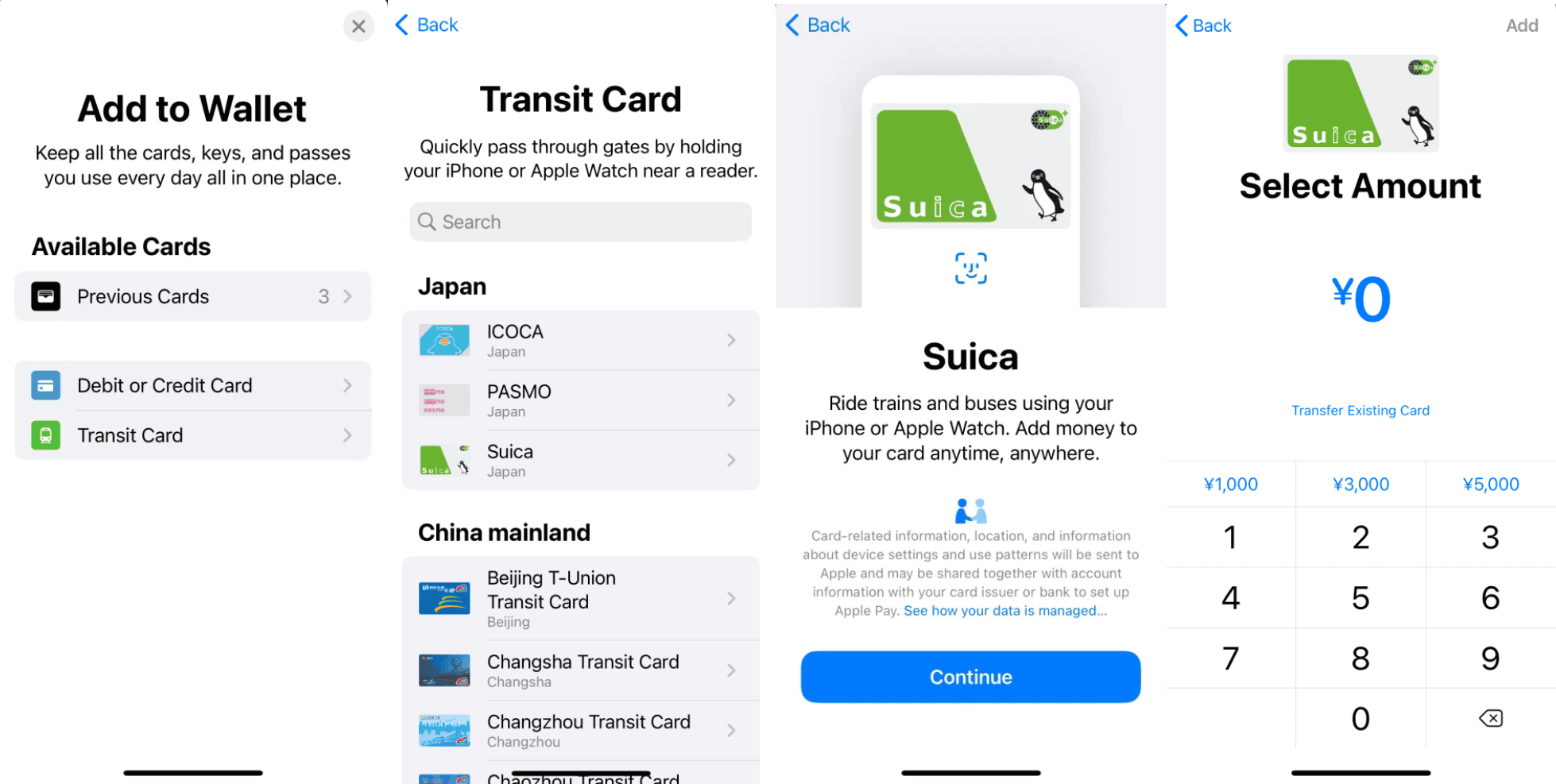
- Mobile version (Suica and PASMO): usable on iPhone and some Android smartphones.
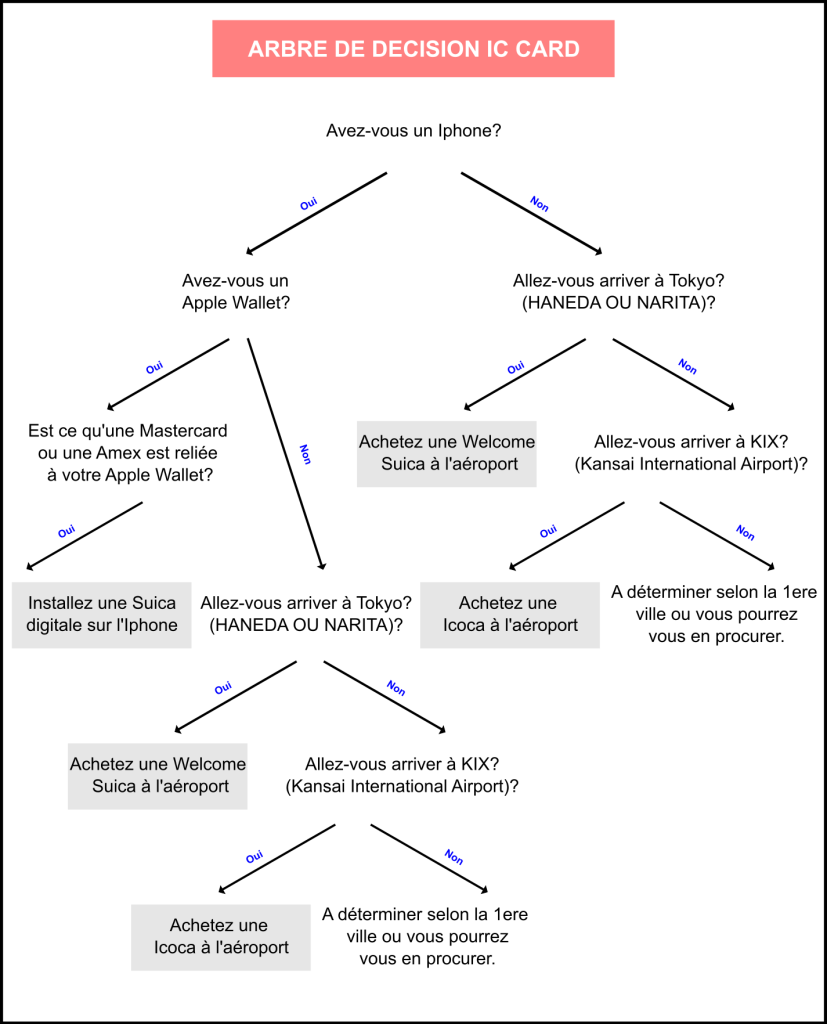
Where to buy an IC Card?
With the resumption of sales, IC cards will be available for purchase in several locations in Japan:
- ATMs: available in large JR stations and private companies.
- Station windows: possibility to buy a name card or obtain information.
- Airports: JR counters and transport kiosks.
- Official websites (for mobile versions)Registration and direct purchase via the Suica or PASMO app.
How to buy a Suica from an ATM?
Find a ticket distributor

Head to ticket vending machines with a black frame located near the entrance gates of JR East stations.
Select Language

Press the blue button at the top right of the screen to select English or another language.
Select “Purchase new Suica”

Press the blue button at the bottom left of the screen. On the same screen, you can also buy simple tickets, subscriptions or reload an existing card.
Select card type

Two options are available:
- Standard SuicaA rechargeable anonymous card.
- MySuica: a personalized card with your printed name, which can be replaced in case of loss.
If you choose the MySuica, you will need to enter your full name, gender, date of birth and a Japanese phone number.
Select the deposit amount

If you choose a standard Suica, you will have to choose the amount to charge on your new card. The options available are 1000, 2000, 3000, 4000, 5000 and 10,000 yen. A 500 yen deposit is included in these amounts and will be refunded if you return the card to JR East.
Example: If you put 3000 yen into the machine, you will pay 500 yen for the deposit and the card will contain a balance of 2500 yen.
Pay and recover your card
Confirm the transaction on the next screen, insert the money and collect your card.
How to use his card?
- Pass his card on the portalsA simple contact is enough to validate the input and output.
- Reload to distributors: available at all stations and some combinis.
- Use as a payment card: to buy contactless items in partner stores.
- See balance: displayed on vending machines or via the mobile app.
How to reload a card?
If your Suica or PASMO card no longer passes to porticos due to lack of credit, you can easily charge it at all stations and metro stations.
Insert your card

Place your card in the vending machine slot.
Press the charging button
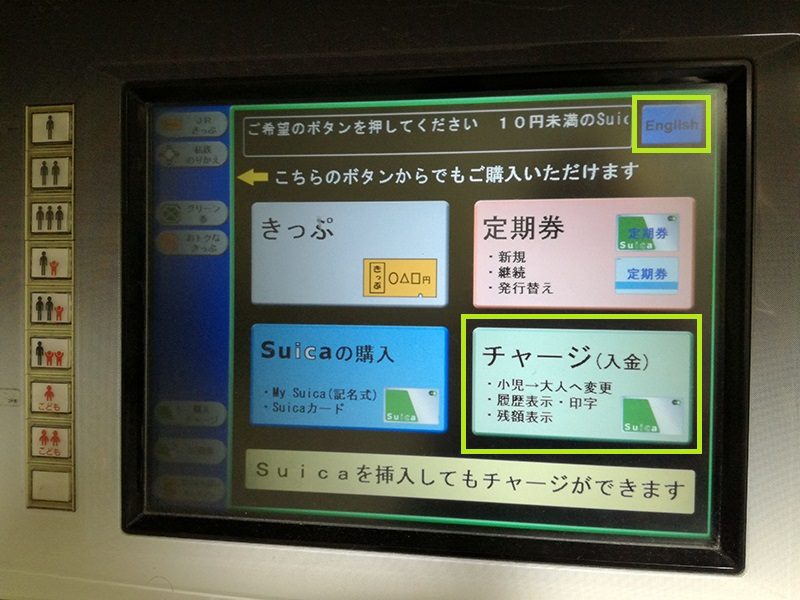
Select the “Charge” option on the touch screen. A blue button at the top right allows you to change the language in English.
Select amount

Choose the amount to add: 500, 1000, 2000, 3000, 5000 or 10,000 yen. On some devices, you can enter a precise amount in 10 yen slices.
Insert money
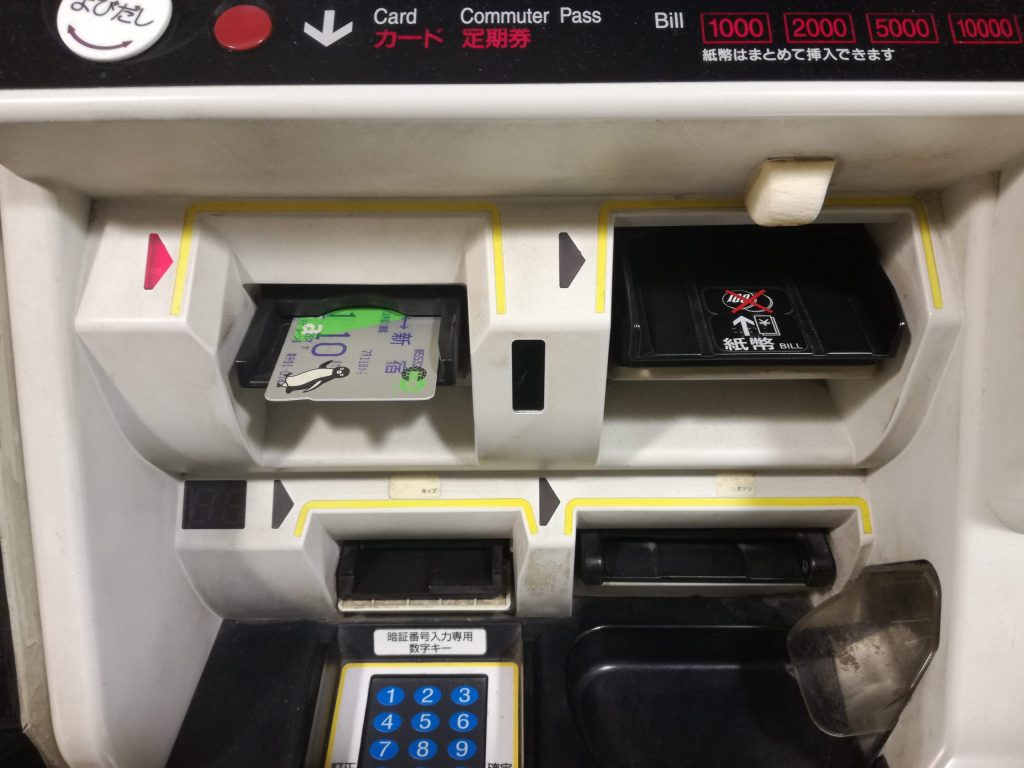
Insert your ticket or coins. Machines make the change.
Recover Your Card
Once reloaded, remember to collect your card and change.
Physical card or mobile version?
If mobile versions are convenient, they are not compatible with all Android smartphones (only those sold in Japan support FeliCa technology). A physical card is ideal for travellers returning regularly to Japan, as it does not expire if used regularly.
In addition, physical support will make an excellent memory.
Alternatives to IC cards
If you don’t want to use an IC card, here are some alternatives:
- Paper tickets: buyable in unity but not practical and more expensive.
- JR Pass: valid for long distance trips, ideal for Shinkansen.
- Regional PassKyoto-Osaka Pass, Hakone Free Pass, etc.
The resumption of IC cards sales in March 2025 is excellent news for travellers in Japan. These maps provide the ease of use and flexibility necessary to explore the country without stress. Whether you choose a Suica or a PASMO, they will make life easier for you on daily trips. Think about buying it as soon as you arrive to fully enjoy your stay!
If this article has brought you useful information and can help other travellers prepare for their stay, a Google review will always be appreciated. |
|
Discover more from Evasions Rebelles - Travel Planner Japon
Subscribe to get the latest posts sent to your email.